Yield intelligence for semiconductor test

Turn STDF into yield decisions without leaving JMP.

YieldOptiX adds a semiconductor-aware analysis layer to JMP: fast STDF loading, linked wafer and bin views, drift analysis, screen-and-release workflows, and machine-learning-assisted root-cause exploration.

JMP pluginSTDF V4wafer + bin analyticsengineer reviewed
Every view links back to the STDF that produced it.
YIELDOPTIX / ANALYSIS SESSION
Inputs
  • STDF runs
  • wafer, site, bin, test data
  • limits and golden references
JMP + YieldOptiX
Outputs
  • ranked yield views
  • drift and outlier evidence
  • release-ready reports
Tracesource-linked viewsComparelot, site, wafer, testReviewengineer sign-off
synthetic wafer visual, amber marks an outlier cluster
JMP 16+fits the tool engineers already use
STDF V4direct loading and merge workflows
Local firstanalysis stays close to test data
Why it matters

Faster evidence from the test data you already have.

Raw STDF is rich, but it is slow to turn into decisions. Engineers lose time converting files, rebuilding charts, aligning lots, and explaining why a bin, site, wafer, or test suddenly changed.

What slows teams down

  • STDF import, cleanup, and merge steps become fragile local scripts.
  • Wafer, bin, site, and test evidence sits in disconnected views.
  • Root-cause work starts with manual filtering instead of ranked evidence.
  • Release decisions depend on reports rebuilt under schedule pressure.

What YieldOptiX changes

  • Loads STDF directly into the JMP workflow engineers already trust.
  • Connects wafer maps, tables, limits, bins, drift, and test statistics.
  • Uses ML to highlight likely contributors and hidden failure clusters.
  • Produces repeatable analysis views and report-ready evidence packs.
Proof by workflow

From raw datalog to reviewable yield action.

YieldOptiX works as a decision pipeline: every step brings you closer to a defensible action.

LoadSTDF V4, limits, lots, sites, bins
Mapwafer, part, test, bin, site context
Comparegolden vs failing lots, drifts, shifts
Localizeoutliers, clusters, likely contributors
Releasescreen rules, reports, review packs
Example question

Why did Bin 7 jump on Lot B while parametric yield moved only on two sites?

Evidence brought together

Lot comparison, site split, wafer map, PTR distribution, drift view, and decision-tree contributors.

Engineer action

Review the ranked evidence, verify the suspect tests and sites, then export a release or debug report.

Product modules

Focused tools that share one yield context.

Each module solves a specific job, but the important part is that they stay connected inside one analysis session.

YieldOptiX

EasyLaunch

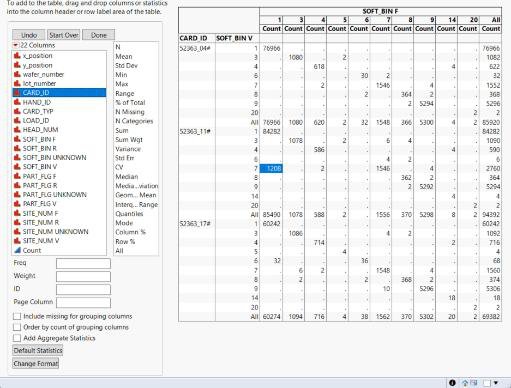
Load and merge STDF directly into JMP with progress visibility for large datasets.

YieldOptiX

Wafer and Bin Views

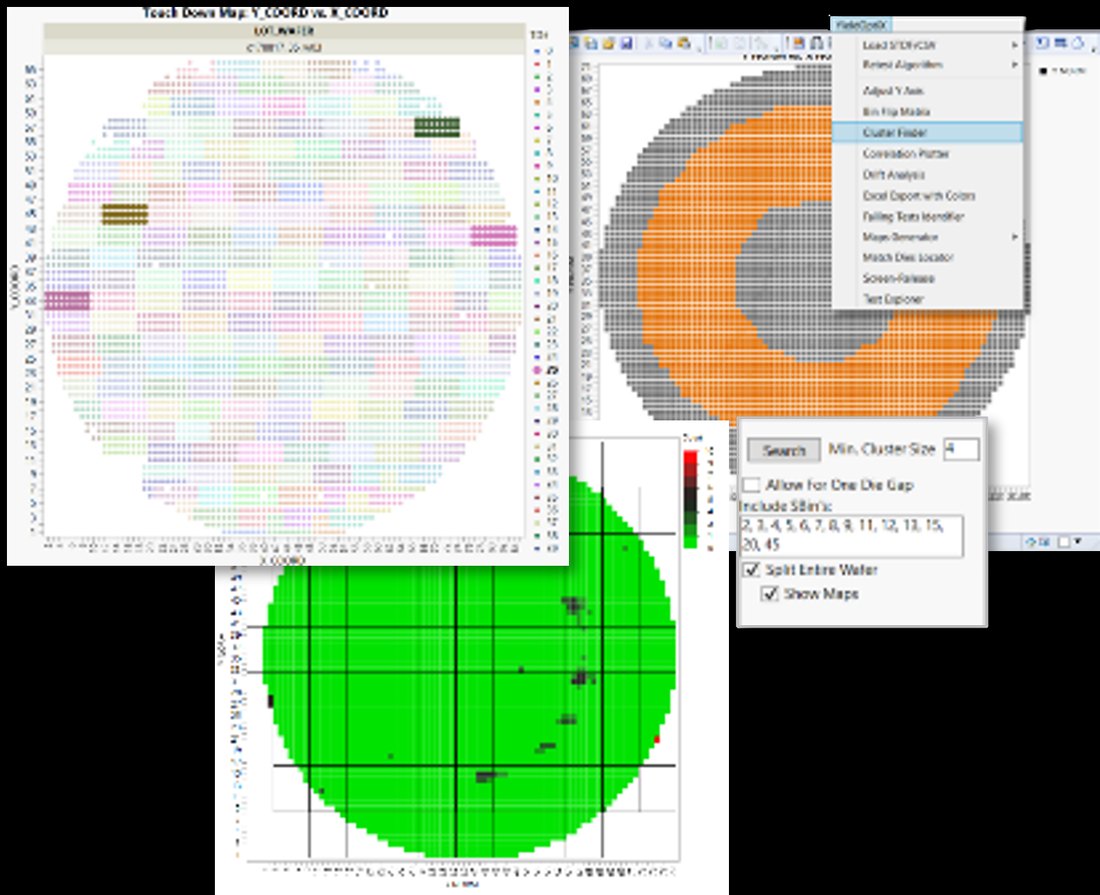
Interactive wafer maps, bin movement, linked tables, and fast Pareto exploration.

YieldOptiX

TestExplorer

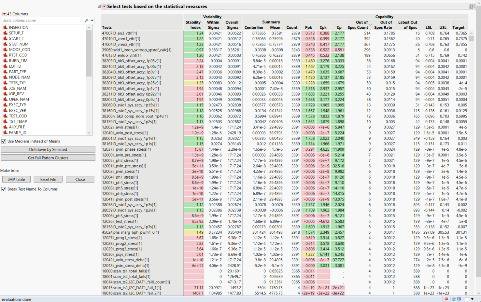
Cpk, Ppk, GRR, statistical summaries, quick plots, and test-level comparisons.

YieldOptiX

DriftAnalysis

Read qualification and production drift quickly across lots, corners, sites, and time.

YieldOptiX

ScreenRelease

Part Average Testing, site issue detection, screen-and-release preparation, and limit review.

YieldOptiX

ML Assistants

Decision trees and clustering for root-cause exploration and fail-pattern discovery.

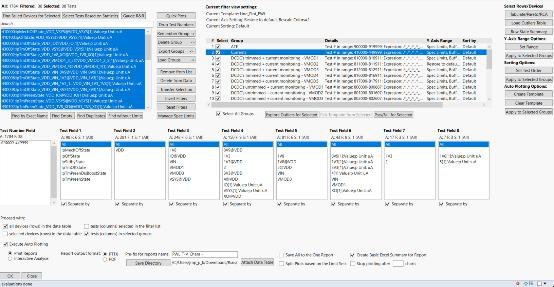
Actual product surface

The actual product, inside JMP.

These are the JMP workflow, the linked views, and the analysis surfaces your engineers will actually use.
Watch it work

See the features in action

Short walkthroughs from the SilTest Semiconductors channel.

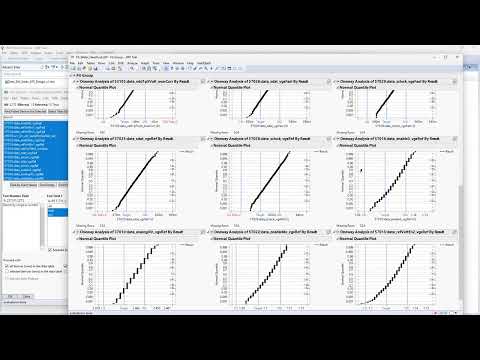
AI and ML powered root cause analysis in JMP
Setting test limits in JMP and yield simulation
Test Explorer, bin Pareto, statistical summary, and quick plots in JMP
View all on YouTube
Works with VISTAR

Use the plugin directly, or run YieldOptiX through VISTAR.

YieldOptiX can stand alone inside JMP for hands-on yield engineers. In VISTAR-led workflows, the same yield analysis can become part of a broader evidence chain across test programs, STDF, debug logs, and engineering knowledge.

JMP pluginVISTAR prompt workflowevidence packsprivate deployment path
Deployment and trust

Built for teams that cannot casually move production test data.

Yield data is customer-bearing, product-specific, and commercially sensitive. We treat it that way.

Local workflow

Runs inside JMP

Keep engineers in the analysis environment they already use, with semiconductor workflows layered in.

Reviewable outputs

Evidence over assertion

Use connected views, statistics, and exported reports so conclusions can be checked before release.

Controlled expansion

Start small

Begin with STDF loading or one yield problem, then expand into full-suite or VISTAR-connected workflows.

Pricing

Start with the loader. Scale into the full suite.

Begin with reliable STDF import, move to the full analysis suite for one engineer, or size YieldOptiX for a whole team.

STDF Loader
€9 / user, month€99 / user, year
one month free
Direct STDF import for JMP. The low-friction entry point for engineers who first need reliable loading and merge workflows.
Buy loader
Most popular
YieldOptiX Full Suite
€99 / user, month€1,089 / user, year
one month free
The full analysis suite: STDF loading, wafer and bin views, TestExplorer, drift, screen-and-release workflows, and ML assistants.
Buy full suite
Enterprise
Custom
Team licensing, onboarding, private workflows, VISTAR integration, and yield-engineering support for larger organizations.
Contact sales
Supported baseline: Windows OS, JMP version 16 or higher, and STDF record support including MIR, SDR, WIR, HBR, SBR, PRR, and PTR.
Frequently asked questions

Common questions, answered directly.

Does YieldOptiX replace JMP?

No. It runs inside JMP and adds semiconductor-specific STDF, wafer, bin, drift, and machine-learning workflows.

Do engineers need to write scripts?

No. The core workflows are exposed through the plugin UI, while the underlying analysis remains repeatable.

Can it support engineering and production?

Yes. It is positioned for bring-up, characterization, qualification, ramp, high-volume monitoring, and customer-return learning.

Does the data need to go to a public AI service?

No. The plugin workflow is built around local JMP usage. For VISTAR-connected workflows, deployment can be private or on-prem.

See YieldOptiX on a real yield problem.

Bring one STDF set, one yield question, and one expected engineering outcome. We will show the path from data to evidence.